SaaS Link Building
How to Index Backlinks: What You Can and Can’t Control
How to index backlinks starts with a limit: you can’t index a page on someone else’s site. You can find out why Google hasn’t indexed it, fix the causes that are yours, and ask the publisher to fix the rest.
Most of the advice you’ll find reads as if the page were yours. This guide sorts the causes by who can fix them, because that’s the decision you face.
What indexing a backlink means
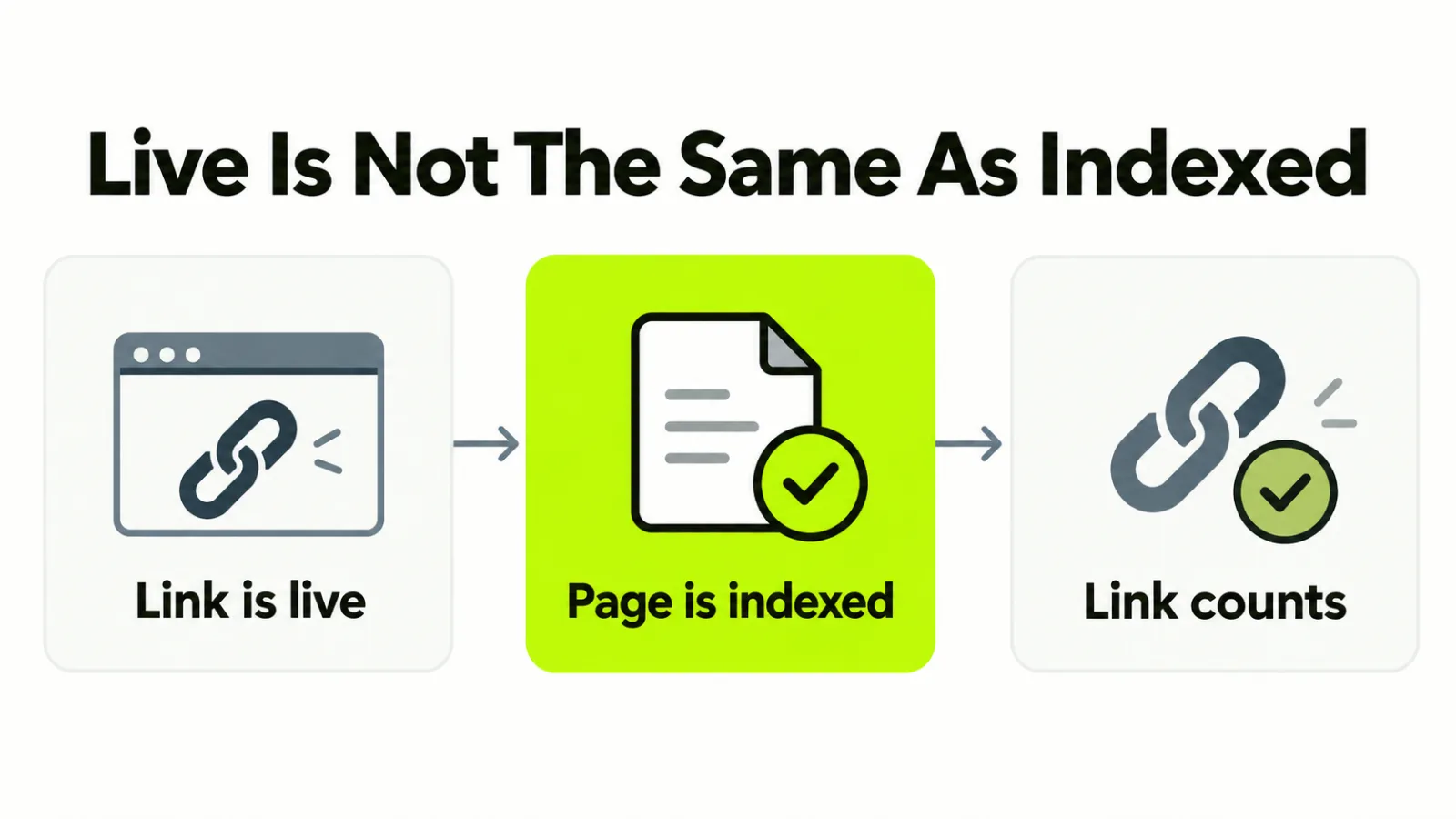
A backlink is indexed when the page that carries it is in Google’s index, because the link is only counted through that page.
That’s why “the link is live” and “the link counts” are two checks. A live link on a page Google hasn’t indexed passes nothing yet. Our post-placement checklist puts the check in the week after placement for this reason, and our guide to what a backlink is covers the term itself.
How to check the linking page
You check the page, not the link. You can’t open the publisher’s Search Console, so use what’s public.
- Search Google for the page’s exact address in quotes, then for a distinctive sentence from the article. An indexed page usually turns up for one of the two.
- Open the page source and look for a
noindexinstruction in the robots meta tag, and for a canonical tag pointing at a different address. - Open the publisher’s robots.txt and check the page’s folder isn’t blocked.
Treat a missing result as a hint and not a verdict. Search operators are rough, and a page can be indexed and still not show for the query you tried.
Why a linking page isn’t indexed
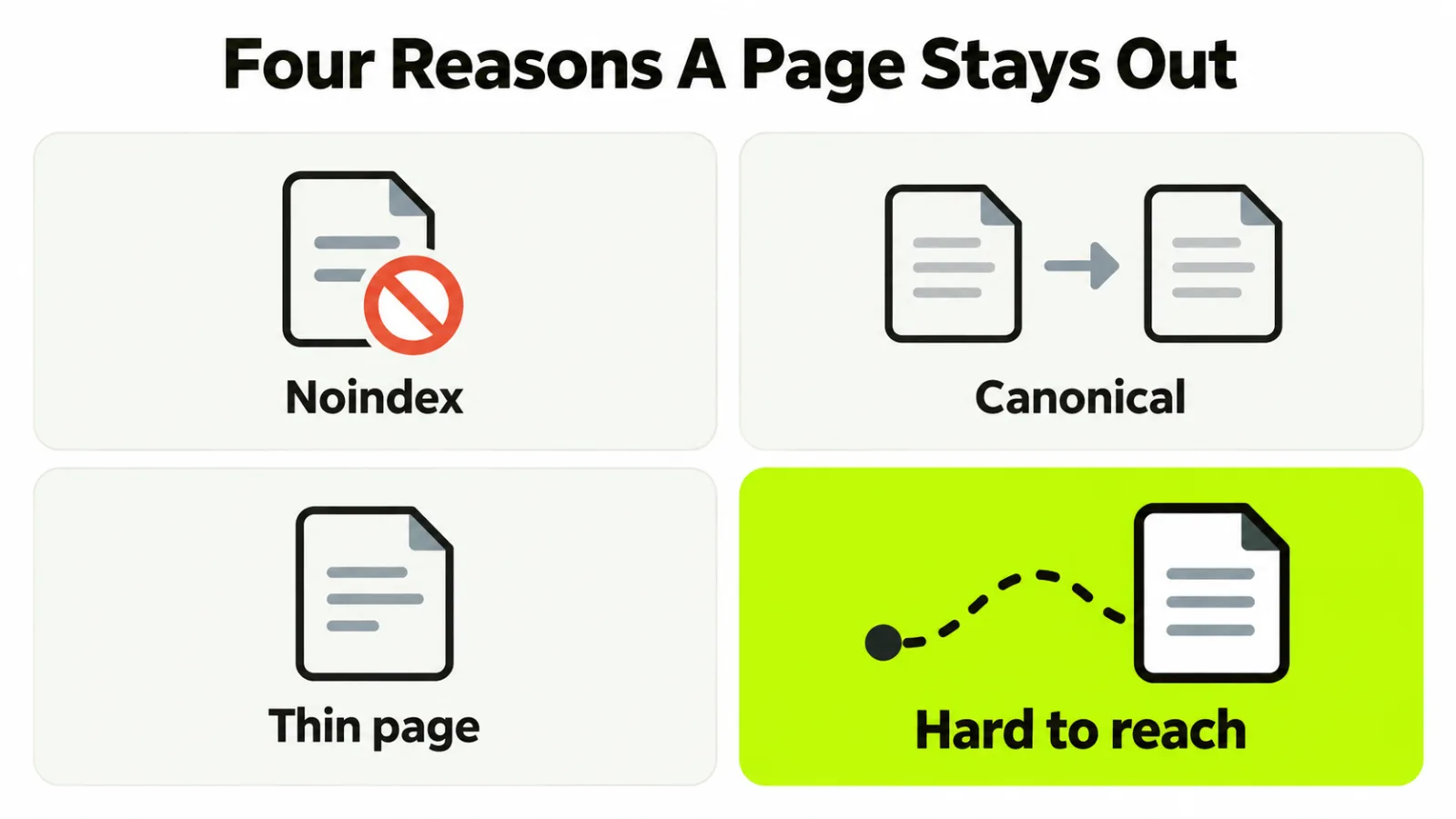
It isn’t indexed because the page is blocked, duplicated, thin or too far from the site’s other pages for Google to bother with yet. Check these four causes in order.
The page tells Google to stay out
A noindex tag or a robots.txt block is common on staging copies, tag archives and sponsored sections. It’s a setting, and only the publisher can change it.
The page points elsewhere
If the canonical tag names another address, Google treats that address as the real page and may drop yours. Syndicated and republished articles do this often.
The page isn’t worth keeping
Thin, near-duplicate and machine-spun pages can be crawled and still left out. Search Console reports this as “Crawled, currently not indexed”, and no request changes it, because the decision is about the page.
The page is hard to reach
A new page that nothing links to can sit as “Discovered, currently not indexed”, because Google knows the address and hasn’t prioritized a visit. This is the one cause where outside help can matter.
How to index backlinks when the page isn’t yours
You can’t request indexing for a page on someone else’s site. Your own moves are limited to giving Google a path to it and asking the publisher to fix the cause.
| Cause | Who can fix it | The move |
|---|---|---|
| Noindex or robots block | The publisher | Ask them to remove it, or ask for a different page |
| Canonical to another address | The publisher | Ask them to point it at the page itself |
| Thin or duplicate page | The publisher | Ask for the article to be improved, or replace the placement |
| Hard to reach | Both of you | Link to the page from one of yours, and ask for a link from theirs |
The one fix in your hands is the last. Link to the page from somewhere Google already crawls often, such as your own press or resources page, a recent post that fits, or a profile you control.
Be honest about what that does. It gives Google a reason to visit, and it doesn’t make the page worth keeping.
Ask the publisher for two things in one short note. First, an internal link to the article from a page that’s already indexed, such as a related article or a hub. Second, that the article is in their sitemap and that they request indexing in their own Search Console.
Both cost them a minute, and an editor who has already agreed to the link has little reason to say no. Our guide to what to do after the reply covers how to phrase the request.
How long to wait before you act
Give it about four weeks from the day the page went live, and treat a page still absent after that as a problem and not a delay.
Four weeks is our working rule and not a figure from Google. New pages on small sites can take a while. A page on a busy publication is often found in days.
If the check at four weeks finds nothing, go back to the causes above in order. Log the date and what you asked, using the routine in our backlink monitoring guide.
What indexing services and pings can’t fix
An indexing service can prompt a visit, but it can’t make Google keep a page it has decided isn’t worth keeping.
We haven’t tested these services here, so this isn’t a verdict on any one of them. They may speed up a page that’s merely hard to reach. They can’t help a noindex tag, a canonical to somewhere else, or a page Google crawled and dropped.
Be most wary of anything that builds more links to the linking page to push it into the index. Pointing a pile of low-quality links at a page is a pattern white hat tactics rule out. It puts your link’s neighborhood at risk for a page that wasn’t going to count.
When to give up on the page
You should treat a link on a page that stays out of the index as a verdict on the page. If the publisher has fixed what they can and the page is still absent after another few weeks, stop spending effort on it.
Then ask for the link to move to a page that’s already indexed. Whichever you choose, agree the indexed check before the next link goes live, and write it into the brief the way our campaign checklist does.
Frequently asked questions
Can you request indexing for a page on someone else’s site?
No. Requesting indexing through Search Console needs a property you own. Your options are to link to the page from somewhere Google already crawls, and to ask the publisher to request it.
Does a nofollow link need to be indexed?
The page does, but the link may not be worth waiting for. A nofollow link isn’t meant to pass ranking credit, so chase indexing only when the page is worth having for the readers it sends.
Do social shares get a backlink indexed?
Not reliably. A share can put the address in front of a crawler, but a page Google has judged thin or duplicate stays out whatever links point at it.
Should you pay for a link on a page that isn’t indexed yet?
Pay on the live link and confirm it’s indexed first. A new page can be absent for a few weeks with nothing wrong. Agree the check date before you pay, and use our guide to evaluating backlink quality up front.